More and more households have various mobile devices, whether modern phones or laptops, that they want to use the internet on.
For that you need a wireless router that takes your existing high-speed cable internet and spreads it around, so you can use it on your mobile devices at home.
Under certain conditions Atlantis Net provides its customers with a free wireless router, so you can use your internet subscription on all your devices at home.
Once you have a wireless router, it will initially be configured and installed by our specialists, so you get the best possible connectivity and security in your home.
Router management system:
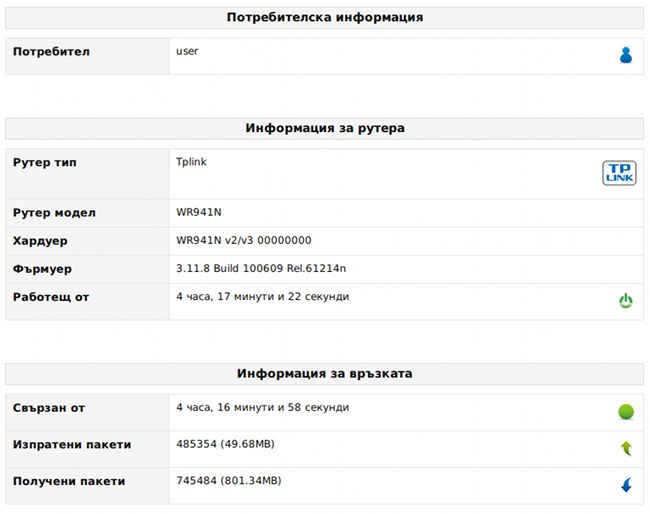
For some time we have been developing and testing a system that lets you configure your wireless router directly from the support site.
This makes it very easy to change your connection settings yourself, without contacting us or worrying that you might break something.
More than 600 people can already manage their wireless routers through the support system. If you received a router together with your internet service, you should be one of them.
Wireless network settings:
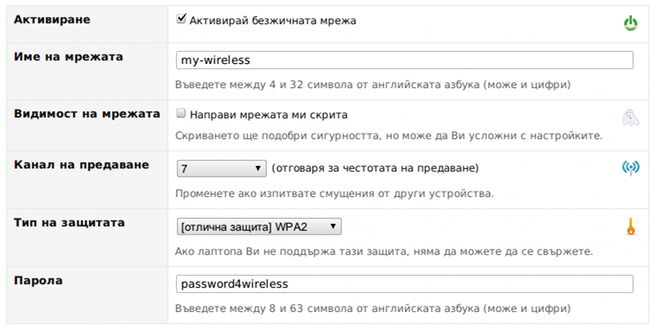
You can do the following:
- turn the wireless connection on or off
- rename your wireless network
- hide your wireless network, if you do not want the neighbours to see it
- change the broadcast frequency, if your connection degrades because of interference from other radio signals nearby
- change the security type, since different mobile devices support different security types
If your phone is not that modern, you may need to use a weaker kind of security to be able to connect with it.
If all your devices are modern, it is best to use the strongest security your router offers.
- change the password of your wireless network, if you suspect someone has figured it out and is using your connection
IP address reservations:
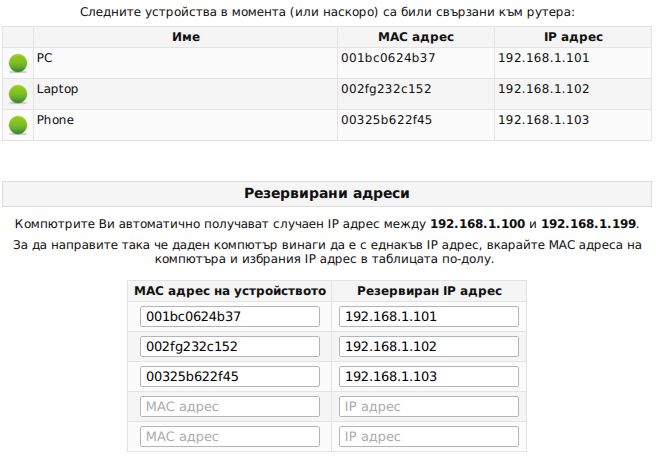
Your network is usually set up so that every device using the internet through the router gets a random IP address within a certain range.
If you prefer, you can make a given device always receive the same address. This can be convenient if you often use your devices on the local network and do not want their addresses to keep changing.
DMZ (DeMilitarized Zone) settings:
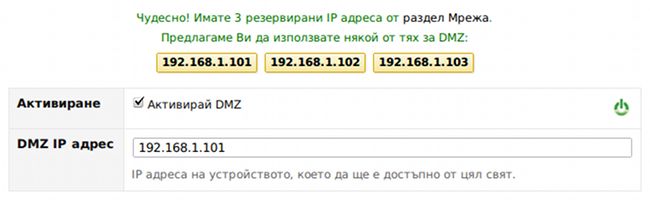
DeMilitarized Zone is a router feature that makes one of your computers reachable from the whole world.
If it is enabled for a given computer (IP address):
- certain services (BitTorrent, game servers and others) will work better
- the computer is no longer hidden behind the router and may be vulnerable to attacks